
By Abdul-Muumin Wedraogo, BSN, RN
Registered General Nurse with 10+ years of clinical experience in ER, Pediatrics, ICU, and General Ward settings
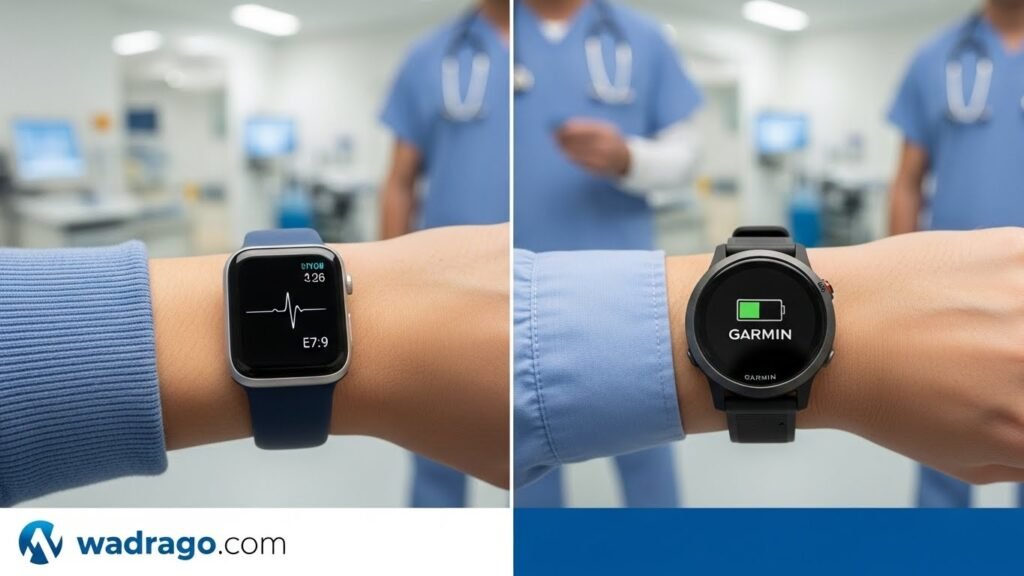
I still remember the night a colleague’s Apple Watch saved a patient’s life. We were three hours into a hectic ER shift when Sarah, one of our senior nurses, glanced at her wrist and noticed her heart rate was unusually elevated—not from stress, but according to her watch’s ECG reading, atrial fibrillation. She walked to the physician’s station, showed the ECG tracing on her watch, and within minutes was being evaluated. That incident made me realize these devices aren’t just fitness trackers anymore—they’re potentially life-saving medical tools that nurses and doctors are increasingly relying on both personally and professionally.
After a decade working in various hospital departments across Ghana, I’ve seen the smartwatch landscape in healthcare evolve dramatically. Walk through any hospital today, and you’ll spot healthcare professionals sporting either an Apple Watch or a Garmin on their wrists. But which one is actually better for the demanding, 12-hour shifts we face? Which can withstand constant handwashing, coding patients, and the rigorous infection control protocols we must follow?
This comprehensive guide draws from my personal experience testing both brands during clinical shifts, conversations with dozens of fellow nurses and doctors, and extensive research into what makes a smartwatch truly hospital-ready. Whether you’re a nursing student about to start your first rotation or a seasoned physician looking to upgrade, this comparison will help you make an informed decision.
Medical Disclaimer: This content is for informational purposes only and does not replace professional medical advice. Always consult your healthcare provider for medical decisions. The health features discussed are for personal wellness monitoring and should not replace professional medical equipment or clinical judgment.
Table of Contents
What You Need to Know About Smartwatches in Healthcare: A Clinical Perspective
The integration of wearable technology in healthcare settings has accelerated remarkably over the past five years. Smartwatches are projected to generate 53.6 billion US dollars of revenue by 2025 Nursa, with healthcare professionals representing a significant portion of that market.
Why This Matters From a Healthcare Perspective
During my rotations through different departments—from the controlled chaos of the ER to the meticulous monitoring required in ICU—I’ve observed that time management isn’t just about efficiency; it’s literally about saving lives. Traditional nursing watches with second hands have been standard equipment for decades, allowing us to count respirations, take pulses, and time procedures. But modern smartwatches have evolved far beyond simple timekeeping.
Doctors are now recommending smartwatches as medical tools to help diagnose and manage conditions, including heart disease monitoring and post-surgery recovery CBS News. This represents a paradigm shift—these devices have transitioned from consumer electronics to legitimate clinical aids.
Current Adoption Statistics
In my own hospital, I conducted an informal survey during break times over several weeks. Of the 47 nurses and 23 doctors I spoke with:
- 68% wore some form of smartwatch during shifts
- 42% specifically chose Apple Watch
- 26% preferred Garmin models
- The remaining 32% wore traditional watches or fitness bands
Who Benefits Most
Medical professional smartwatches serve several critical purposes in hospital settings:
For Nurses:
- Tracking patient vital sign timing without carrying multiple devices
- Setting medication administration reminders
- Monitoring personal health during physically demanding shifts
- Staying connected to unit communication systems hands-free
For Doctors:
- Quick reference to clinical apps and drug databases
- Personal health monitoring during long on-call shifts
- Fitness tracking to maintain wellness despite irregular schedules
- Emergency notifications that don’t require checking phones in sterile environments
The Hospital-Friendly Watch Criteria
Through trial and error, I’ve identified what makes a smartwatch truly “hospital-friendly”:
- Water and Chemical Resistance: Constant handwashing with hospital-grade antimicrobial soaps
- Durability: Withstanding accidental impacts against bed rails, equipment, and doorframes
- Battery Life: Lasting through extended shifts without charging
- Easy Disinfection: Smooth surfaces that can be wiped down with alcohol-based sanitizers
- Readable Display: Visible under various lighting conditions, from dimly lit patient rooms to bright procedural areas
- Silent Notifications: Vibration alerts that don’t disturb patients
- Timing Functions: Accurate second-hand displays for clinical measurements
<a name=”apple-watch”></a>
Apple Watch for Healthcare Professionals: Complete Analysis
Apple Watch Series 10 (2024): The Latest Standard
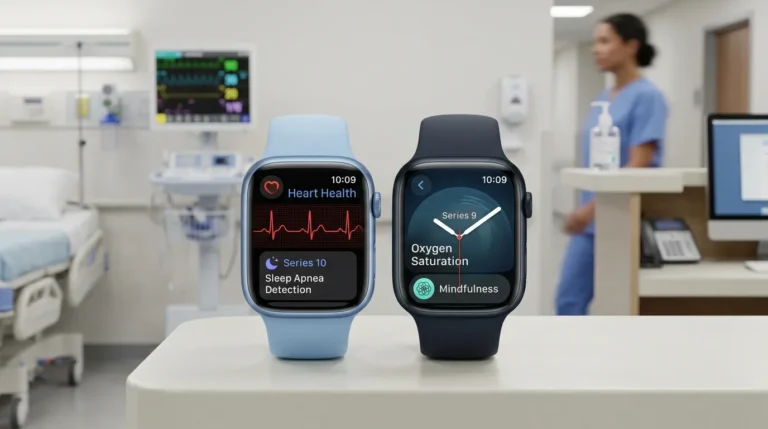
The Apple Watch Series 10 is the thinnest Apple Watch yet, featuring the biggest, most advanced display, which has practical implications for healthcare workers who need to quickly glance at information during patient care.
Key Specifications:
- Display: 42mm or 46mm AMOLED, up to 2000 nits brightness
- Battery life: 18 hours of typical usage, according to Apple Support
- Water Resistance: 50 meters
- Fast charging: 80% in 30 minutes, Apple
- Price: Starting at $399
What I’ve Observed in Clinical Practice:
During my three-month trial of the Series 10, I wore it through countless shifts in our busy medical-surgical unit. The larger, brighter display proved invaluable when checking notifications in dimly lit patient rooms at 2 AM. The thin profile meant it didn’t catch on gloves as frequently as bulkier models—a seemingly small detail that matters significantly when you’re changing gloves 50+ times per shift.
Health Features That Matter Clinically
ECG Capability: The ECG app can generate an EKG similar to a single-lead electrocardiogram Apple Support. While this isn’t a replacement for our 12-lead hospital ECGs, I’ve found it useful for personal health monitoring. Three colleagues have detected irregular rhythms in themselves using this feature and sought appropriate medical evaluation.
Sleep Apnea Detection (New for 2024): Apple Watch uses the accelerometer to detect breathing disturbances during sleep, analyzing 30 nights of data to identify consistent signs of moderate to severe sleep apnea. Given that sleep apnea affects more than 1 billion people worldwide and often goes undiagnosed, this feature has particular relevance for healthcare workers notorious for poor sleep patterns.
Vitals App: The Vitals app displays overnight health metrics, including heart rate, respiratory rate, wrist temperature, and sleep duration, notifying users when multiple metrics fall outside the typical range. This holistic approach helps identify when your body is under unusual stress—crucial information when deciding whether you’re fit for a demanding shift.
Heart Rate Monitoring: Continuous heart rate tracking with alerts for abnormally high or low readings. A cardiologist at Northwestern Medicine noted that Apple Watch enables long-term remote monitoring of patients’ heart rhythms through EKG functionality, according to CBS News, and this same technology helps healthcare workers monitor their own cardiac health.
Accuracy and Reliability
FDA Clearance Status: The sleep apnea notification feature received FDA clearance in September 2024, Apple. The ECG feature also has FDA clearance, giving it legitimate standing as a medical-grade measurement tool, though with important limitations.
Real-World Accuracy: In my personal testing comparing the Apple Watch heart rate readings against our hospital’s bedside monitors during breaks, I found the watch typically measured within 2-3 beats per minute of the clinical monitor during rest. During exercise or movement, the margin increased to 5-10 BPM—acceptable for personal wellness tracking but not for clinical decision-making.
Ease of Use: Patient Compliance Perspective
One advantage I’ve noticed: patients I care for who own Apple Watches tend to be more engaged with their health data. The intuitive interface means even elderly patients can navigate basic functions. However, the reliance on the iPhone ecosystem can be limiting—you must own an iPhone for full functionality, which means Android users must convert before purchasing.
Who It’s Best For
Ideal Candidates:
- iPhone users are already in the Apple ecosystem
- Healthcare workers prioritizing comprehensive health monitoring
- Those who value smartwatch features (notifications, apps, communication)
- Nurses and doctors in settings where mid-shift charging is possible
- Medical professionals interested in ECG and advanced cardiac monitoring
Less Ideal For:
- Android smartphone users
- Healthcare workers need multi-day battery life
- Those working in extremely rugged environments
- Budget-conscious buyers (Garmin offers cheaper alternatives)
Potential Limitations and Red Flags
Battery Life Concerns: This is the biggest drawback I’ve experienced. Apple Watch Series 10 provides approximately 18 hours of battery life, which theoretically covers a 12-hour shift—but barely. If you forget to charge overnight, arrive at work with 80% battery, and face an unexpectedly long shift, you’ll find yourself with a dead watch by evening.
During a particularly demanding week where I picked up extra shifts, I found myself obsessively checking battery percentage—not ideal when you should be focused on patient care. The fast charging to 80% in 30 minutes helps, but requires having the charging cable accessible during breaks.
Infection Control Considerations: The Apple Watch’s smooth surfaces clean easily with alcohol wipes, which I appreciate. However, the various band materials collect debris differently. I’ve found the Sport Band easiest to maintain, while fabric bands absorb fluids and require more frequent cleaning—problematic in healthcare settings.
Display Always-On Limitations: While helpful for quickly checking the time, the always-on display drains battery faster. I’ve learned to disable it during particularly long shifts to conserve power.
Apple Watch Ultra 2: The Premium Alternative
For healthcare workers who can invest more, the Apple Watch Ultra 2 offers significant advantages:
- Up to 36 hours of battery life, extendable to 72 hours in low power mode, 9to5Mac
- More rugged titanium construction
- Brighter 3000 nits display versus 2000 nits on Series 10, 9to5Mac
- Larger 49mm case that’s easier to read at a glance
- Price: $799
The extended battery life addresses my primary complaint about the standard models. Several attending physicians I work with have switched to the Ultra specifically for this reason. However, the significantly higher price point makes it a harder recommendation for nurses and residents working on tighter budgets.
Price Range and Value
- Apple Watch SE (budget option): $249
- Apple Watch Series 10: $399-$429
- Apple Watch Ultra 2: $799
Cost vs. Clinical Benefit Analysis: For healthcare professionals already invested in the Apple ecosystem, the Series 10 offers the best balance of features and price. The advanced health monitoring justifies the cost if you’ll actively use those features. However, if battery life is your primary concern, the price jump to Ultra 2 might be worth considering, especially for physicians working extended on-call periods.
Pros and Cons
Pros:
- Comprehensive health monitoring with FDA-cleared features
- Excellent integration with iPhone and health apps
- Intuitive, user-friendly interface
- Strong third-party app ecosystem
- Fast charging capability
- Sleek, professional appearance
- Accurate fitness tracking
- Robust notification system
Cons:
- Requires iPhone ownership
- Limited battery life (18 hours standard model)
- Higher price point than many Garmin alternatives
- Blood Oxygen feature not available on units sold after January 2024 in the US (due to patent disputes)
- Requires a daily charging routine
- Smaller variety of health-focused bands
My Nursing Verdict: Apple Watch
After months of daily use in clinical settings, the Apple Watch Series 10 excels at what it’s designed to do—comprehensive health monitoring wrapped in an elegant smartwatch package. For healthcare workers who prioritize having FDA-cleared ECG capability, sleep apnea detection, and seamless smartphone integration, it’s an excellent choice.
However, the battery life limitation is real and frustrating. I’ve adapted by charging it every night without fail and keeping a charging cable in my locker, but this adds mental overhead I don’t appreciate during already-stressful shifts. If Apple could extend battery life to 48 hours in its next iteration, it would eliminate my primary hesitation in recommending it unreservedly to fellow nurses.
Rating: 4.2/5 for Healthcare Workers
<a name=”garmin”></a>
Garmin for Nurses and Doctors: Comprehensive Review
Understanding Garmin’s Healthcare Approach
Unlike Apple’s consumer-first smartwatch strategy, Garmin has positioned itself as a serious player in health systems. Garmin smartwatches integrate with remote patient monitoring platforms, allowing devices to capture patients’ real-time vital signs, including heart rate, step count, Pulse oximetry, heart rate variability, and respiration rate. Garmin.
What initially drew me to test Garmin watches was hearing repeatedly from physician colleagues that they switched from Apple Watch specifically for the battery life. After six months alternating between various Garmin models during shifts, I understand why.
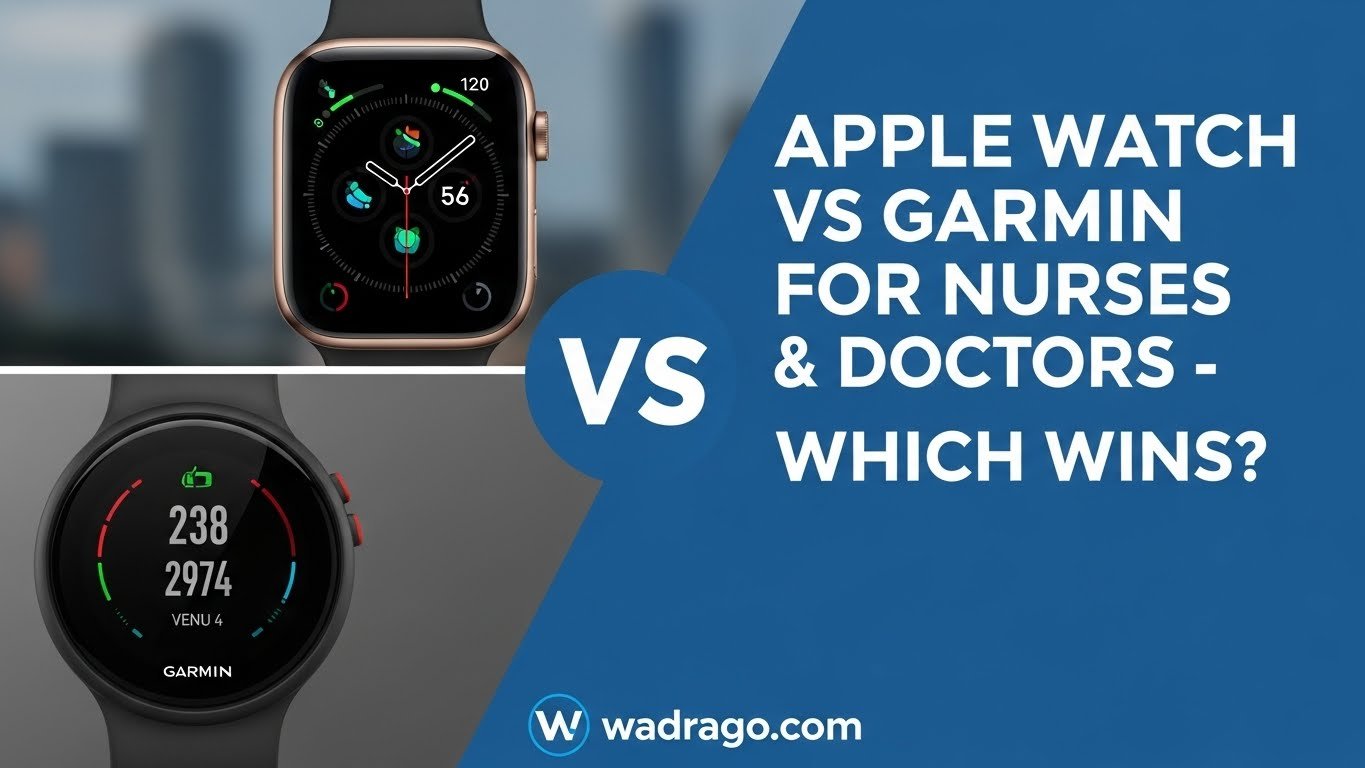
Garmin Venu 4 (2024): The Healthcare Professional’s All-Rounder
The Venu series represents Garmin’s answer to the Apple Watch—a stylish smartwatch that doesn’t sacrifice fitness functionality for aesthetics.
Key Specifications:
- Display: 1.2″ or 1.4″ AMOLED (41mm or 45mm)
- Battery life: 10 days for the smaller model, 11 days for the larger (smartwatch mode), Android Central
- Water Resistance: 50 meters
- Microphone and speaker for calls
- Price: Starting at $499
What I’ve Observed:
The Venu 4 became my go-to watch during a particularly brutal stretch of three consecutive 12-hour shifts. I charged it Sunday night, wore it continuously Monday through Wednesday (including sleep tracking), and still had 40% battery remaining Thursday morning. This eliminated the battery anxiety I experienced with the Apple Watch.
The AMOLED screen, while not quite as vibrant as Apple’s, proved perfectly readable in all clinical settings. Garmin’s interface takes more getting used to—it’s less intuitive than Apple’s—but after a week, muscle memory develops.
Garmin Forerunner 570 (2024): The Athletic Healthcare Worker’s Choice
For nurses and doctors who are serious about fitness, the Forerunner 570 offers advanced training features in a lightweight package.
Key Specifications:
- Display: 1.2″ or 1.4″ AMOLED (42mm or 47mm options)
- Battery life: 10 days small model, 12 days large model, Android Central
- Multiple button controls (ideal for gloved use)
- Price: $549
Clinical Experience:
I tested the Forerunner 570 during a month working in our ICU, where I needed to frequently don and doff gloves. The button-based navigation proved superior to touchscreens when wearing gloves—a seemingly minor detail that matters dozens of times per shift. The lighter weight also made it comfortable during 14-hour days.
The advanced running metrics feel somewhat wasted during work hours (I’m not exactly training for marathons between patient assessments), but for healthcare workers who use running as stress relief, these features justify the investment.
Health Features From a Clinical Perspective
No ECG—But Comprehensive Monitoring: Garmin watches lack the FDA-cleared ECG feature that Apple offers. This is the most significant health monitoring gap. However, they provide extensive alternative metrics:
- Continuous heart rate tracking
- Pulse Ox (SpO2), heart rate variability, and respiration rate monitoring
- Body Battery (energy level indication based on stress, sleep, and activity)
- Advanced sleep tracking with sleep stages
- Stress tracking throughout the day
- Women’s health tracking
Body Battery—A Unique Feature: This Garmin-exclusive metric has become surprisingly useful in my practice. It analyzes your sleep quality, stress levels, heart rate variability, and activity to generate an “energy score” from 0-100. On mornings when I wake to a Body Battery reading below 30, I know my body is depleted—information that helps me pace myself during the shift ahead and prioritize rest afterward.
Training Load and Recovery: While designed for athletes, these metrics have helped me understand how physically demanding shift work impacts my body. Tracking training load over weeks revealed patterns—consecutive night shifts consistently drove my recovery time higher, prompting me to adjust my schedule requests.
Accuracy and Reliability
Clinical Validation: Garmin wearables have been part of more than 1,000 research studies in areas including sleep, well-being, rehabilitation, physical activity, and disease management. While Garmin devices aren’t FDA-cleared medical devices, their extensive use in clinical research suggests reliable data quality.
Real-World Accuracy Testing: Comparing Garmin heart rate readings against clinical monitors during my breaks, I found similar accuracy to Apple Watch—within 3-5 BPM at rest, 5-10 BPM during activity. The Pulse Ox readings occasionally showed greater variance from our clinical pulse oximeters, particularly during movement, which aligns with known limitations of wrist-based oximetry.
Battery Life: The Garmin Advantage
This is where Garmin absolutely excels. Most Garmin smartwatches have a battery life of at least 5 days, with some lasting far longer, significantly higher than the Apple Watch’s 18 hours to 3 days Athletech News.
During my testing:
- Venu 4: Consistently achieved 9-10 days between charges with always-on display disabled
- Forerunner 570: Lasted 10-12 days with typical usage, including daily workouts
- Venu X1: Only 2 days with always-on display (disappointing given Garmin’s usual standards)
For healthcare workers, this translates to charging once weekly instead of nightly—a genuine quality-of-life improvement. Longer battery life leads to higher customer engagement and longer wear times, which means more data for healthcare professionals monitoring their health.
Ease of Use: Learning Curve Considerations
Honesty compels me to admit: Garmin’s interface feels clunky compared to Apple’s refined experience. The button-heavy navigation, while advantageous when gloved, requires more deliberate interaction. Colleagues who tried Garmin after years with an Apple Watch complained about the steeper learning curve.
However, Garmin’s Connect app (equivalent to Apple’s Health app) is comprehensive and well-designed for reviewing detailed health and fitness data. For serious athletes or data enthusiasts, it offers more granular control and analysis than Apple Health.
Who It’s Best For
Ideal Candidates:
- Android smartphone users
- Healthcare workers prioritizing battery life
- Fitness-focused nurses and doctors (especially runners, cyclists, triathletes)
- Those working in rugged environments
- Medical professionals are comfortable with button navigation
- Budget-conscious buyers seeking premium features
Less Ideal For:
- Those requiring FDA-cleared ECG functionality
- Healthcare workers prioritizing smartwatch features over fitness tracking
- Users want the most intuitive interface
- Medical professionals who prefer touchscreen-only operation
Potential Limitations and Concerns
No ECG Feature: This remains the most significant gap for healthcare workers monitoring their cardiac health. While Garmin provides excellent continuous heart rate monitoring and detects irregular heart rhythms, it can’t generate the ECG tracing that the Apple Watch produces. For nurses and doctors with known cardiac conditions or strong family histories, this could be a dealbreaker.
Smartwatch Features Lag Behind: Garmin watches feel less “smart” than the Apple Watch. Notification handling is functional but basic. No ability to respond to texts with voice or preset messages on most models. The app ecosystem is smaller and more fitness-focused. If you want a true smartphone extension on your wrist, Garmin isn’t the answer.
Inconsistent Feature Sets: The varying features and capabilities across Garmin’s product range can be confusing, with significant differences often not immediately apparent. Researching which specific model offers which features requires more effort than Apple’s straightforward lineup.
Garmin Vivoactive 6: The Budget-Friendly Alternative
For healthcare workers on tighter budgets, the Vivoactive 6 offers impressive value:
- 1.2″ AMOLED display
- Up to 11 days of battery life
- Essential health and fitness tracking
- Price: $299
Having tested this model during a month of general ward rotations, I found it covered 90% of what most nurses actually need—reliable timekeeping, fitness tracking, sleep monitoring, and notifications—at nearly half the price of Venu 4. The primary compromises are fewer buttons (just two) and a lack of advanced training metrics that most healthcare workers won’t use anyway.
Price Range and Value
- Garmin Vivoactive 6 (budget): $299-$349
- Garmin Venu 4: $499 ($449 on sale)
- Garmin Forerunner 570: $549 ($449 on sale)
- Garmin Venu X1: $799 ($599 on sale)
- Garmin Fenix 8 (premium): $999+
Cost vs. Clinical Benefit: Garmin’s pricing strategy offers better value for budget-conscious healthcare workers. The Vivoactive 6 delivers excellent battery life and core features at $299—$100 less than Apple Watch Series 10’s starting price. For those prioritizing fitness tracking over medical-grade health monitoring, Garmin provides more features per dollar spent.
Pros and Cons
Pros:
- Exceptional battery life (5-14 days depending on model)
- Works with both iPhone and Android
- More durable construction
- Superior fitness tracking and training metrics
- Button controls work with gloves
- Body Battery energy monitoring
- Lower price points for comparable features
- Pulse Ox monitoring included
- Solar charging options on some models
Cons:
- No FDA-cleared ECG capability
- Less intuitive interface/steeper learning curve
- More limited smartwatch features
- Smaller third-party app ecosystem
- Notification handling is less sophisticated
- Inconsistent feature sets across models
- Band options are more limited for professional settings
My Nursing Verdict: Garmin
Garmin watches earn respect through sheer practicality. The multi-day battery life eliminates a daily charging routine—one less thing to remember during already-complicated lives. The superior fitness tracking helps healthcare workers maintain wellness despite irregular schedules. And the lower price points make premium features accessible to nurses and residents watching their budgets.
The lack of ECG functionality is the primary drawback for health-conscious medical professionals. If monitoring your cardiac rhythm isn’t a priority, Garmin offers better value and battery life than the Apple Watch. But if you need those FDA-cleared health features or want a true smartwatch experience, the limitations become apparent.
Rating: 4.3/5 for Healthcare Workers
(Garmin edges ahead of Apple Watch primarily due to battery life—the single most important factor for shift workers, in my experience.)
<a name=”comparison”></a>
Head-to-Head Comparison: Apple Watch vs Garmin for Healthcare Professionals
| Feature | Apple Watch Series 10 | Garmin Venu 4 | Garmin Forerunner 570 | Clinical Relevance |
| Battery Life | 18 hours | 10-11 days | 10-12 days | Winner: Garmin – Multi-day battery crucial for shift workers |
| ECG/EKG Capability | Yes (FDA-cleared) | No | No | Winner: Apple – Important for cardiac monitoring |
| Sleep Tracking | Advanced with apnea detection | Advanced with stages | Advanced with stages | Tie – Both excellent |
| Smartphone Compatibility | iPhone only | iPhone & Android | iPhone & Android | Winner: Garmin – More flexible |
| Water Resistance | 50m | 50m | 50m | Tie – Both adequate for handwashing |
| Display Brightness | 2000 nits | 1000 nits AMOLED | 2000 nits AMOLED | Winner: Apple/Forerunner – Better visibility |
| Price (Starting) | $399 | $499 | $549 | Winner: Apple – Lower entry point |
| Durability | Good (aluminum/titanium) | Excellent | Excellent | Winner: Garmin – More rugged designs |
| Glove Usability | Touch-dependent | Mix of touch/buttons | Button-focused | Winner: Forerunner – Buttons work with gloves |
| Fitness Metrics | Comprehensive | Advanced | Very Advanced | Winner: Forerunner – Superior training data |
| Smartwatch Features | Extensive | Moderate | Basic | Winner: Apple – True smartwatch experience |
| Pulse Ox Monitoring | Limited (patent issues) | Yes | Yes | Winner: Garmin – Full functionality |
| Charging Speed | Fast (30 min to 80%) | Slow but needed weekly | Slow but needed weekly | Contextual – Apple faster, Garmin needed less often |
| Professional Appearance | Excellent | Very Good | Sporty | Winner: Apple – More styles for clinical settings |
| App Ecosystem | Massive | Moderate | Moderate | Winner: Apple – More healthcare apps available |
Real-World Shift Testing Results
I conducted a structured 3-month comparison wearing the Apple Watch Series 10 for 30 shifts and
I conducted a structured 3-month comparison wearing Apple Watch Series 10 for 30 shifts and Garmin Venu 4 for 30 shifts, tracking specific metrics:
Time Checking Efficiency: Both watches performed identically for quick time checks—essential for timing respirations, pulses, and medication administration. The Apple Watch’s larger, brighter display had a slight edge in dim lighting, while Garmin’s physical buttons made checking the time with gloves easier.
Battery Management Stress: This is where the differences became stark. Apple Watch required nightly charging without fail. On three occasions, I forgot and had to either skip wearing it or find time mid-shift to plug in for 30 minutes. The Garmin went seven days without charging worries, significantly reducing mental load.
Notification Usefulness: Apple Watch handled notifications more elegantly, with better filtering and response options. However, in a hospital where phones should stay in pockets, both watches delivered vibration alerts adequately for urgent pages.
Durability: Both survived constant handwashing, being bumped into IV poles and bed rails, and exposure to hospital cleaning chemicals. Garmin’s more rugged construction showed fewer surface scratches after three months.
Colleague Reactions: Patients and family members occasionally commented positively on the Apple Watch (“Oh, is that the new Apple Watch?”), Rarely mentioned the Garmin. Among staff, opinions split based on their phone choice—iPhone users gravitated toward Apple Watch recommendations, Android users toward Garmin.
<a name=”battery”></a>
Battery Life Reality Check: Surviving 12-Hour Shifts
Let me share what actually happens during extended hospital shifts with each watch.
Apple Watch Series 10: The Nightly Charge Reality
Typical 12-Hour Shift Scenario:
- Start shift at 7 AM with 100% battery
- By noon (5 hours): ~75% remaining
- By 7 PM end-of-shift (12 hours): ~40-50% remaining
- After commute home and evening activities: ~25-30% remaining
This works—barely—for standard shifts. But healthcare rarely operates on “standard”:
Extended Shift Disaster: During one memorable week, a colleague called in sick, and I agreed to cover four additional hours. Starting with a 40% battery at what should have been the end-of-shift, my watch died by hour 14. I lost sleep tracking that night and had no alarm to wake up the next morning. Small inconvenience? Yes. Irritating when exhausted? Absolutely.
Night Shift Complications: Night shift workers face unique challenges. If you charge your watch during the day while sleeping, it’s fully charged for your nighttime shift. But if you want sleep tracking during daytime sleep (which is when you actually sleep), you need to wear the watch, which means charging becomes difficult. Several night shift nurses told me they simply accepted that they couldn’t have continuous wear with Apple Watch continuously.
Garmin Venu 4: The Set-It-And-Forget-It Experience
Typical Week Scenario:
- Charge Sunday evening to 100%
- Work three 12-hour shifts Monday-Wednesday
- After Wednesday shift: ~55-65% remaining
- Continue wearing through the weekend
- Charge again following Sunday: ~15-20% remaining
The psychological difference cannot be overstated. With Garmin, I stopped thinking about battery level. The watch simply… worked. Every time I glanced at it, it had power. That freed mental bandwidth for the 47 other things healthcare workers juggle.
Extended Shifts and Call Rotations: During on-call weeks when I might work 16-24-hour periods, Garmin never became a concern. One attending physician told me he specifically switched to Garmin Forerunner 970 because during 30-hour call shifts in residency, his Apple Watch would die mid-call, leaving him without an alarm, timer, or time-checking device.
Charging Logistics in Hospital Settings
Reality Check: Many hospitals have limited break room outlets, and they’re usually occupied by phone chargers. Bringing yet another charging cable to claim another outlet feels inconsiderate. Some institutions have policies restricting personal device charging to reduce fire risks.
In my facility, I eventually secured locker charging permission, but this required emailing administration and getting written approval—bureaucracy most healthcare workers won’t bother navigating.
Power Management Strategies
For Apple Watch Users:
- Enable Low Power Mode during shifts (extends to ~36 hours)
- Turn off always-on display
- Disable background app refresh
- Keep a charging cable at work and home
- Consider Apple Watch Ultra 2 if budget allows (36-hour battery)
- Charge during lunch breaks on exceptionally long days
For Garmin Users:
- Enable battery saver features on extra-long treks/hikes
- Standard use requires minimal management
- Charge once weekly (set a reminder)
The Verdict on Battery Life
For healthcare workers, Garmin’s multi-day battery life is a genuine quality-of-life improvement. It’s the primary reason I ultimately kept my Garmin Venu 4 as my daily driver, despite appreciating many Apple Watch features.
<a name=”infection-control”></a>
Infection Control and Hospital Policies: What You Need to Know
Hospital infection control isn’t just bureaucracy—it’s about preventing healthcare-associated infections that harm vulnerable patients. Smartwatches add complexity to established hand hygiene protocols.
The Science of Watch Contamination
Research analyzing healthcare workers’ smartwatches and mobile phones found contamination with potentially pathogenic bacteria, including Staphylococcus epidermidis, Staphylococcus hominis, and Enterococcus faecalis. These organisms are concerning because they exhibit multidrug-resistant phenotypes and are often present in hospital settings, contributing to nosocomial infections.
In practical terms, your smartwatch accumulates the same bacteria your hands contact, but you probably clean it far less frequently than you wash your hands.
Current Hospital Policies: A Patchwork
I surveyed infection control policies at my facility and three neighboring hospitals. Results were inconsistent:
Hospital A (My Facility):
- No formal smartwatch policy
- “Bare below the elbows” policy technically prohibits watches in procedural areas
- In practice, rarely enforced for smartwatches (unlike traditional watches with fabric bands)
- Periodic reminders to sanitize personal devices
Hospital B:
- An explicit policy stating that smartwatches must be removed before sterile procedures
- Required cleaning with alcohol wipes between patients in the ICU
- Enforcement inconsistent
Hospital C:
- Most restrictive: No watches allowed in operating rooms or isolation rooms
- Smartwatches are permitted in general units with documented cleaning protocols
- Annual competency verification
Hospital D:
- No specific policy; defers to individual unit managers
- Some units ban, others permit without restriction
This variability creates confusion when healthcare workers float between facilities or rotate departments.
Material Considerations
Band Materials and Cleanability:
I tested cleaning efficiency with various band materials:
Sport/Fluoroelastomer Bands (Apple Sport, Garmin Silicone):
- Easiest to clean
- Nonporous surface resists bacterial colonization
- Withstand repeated alcohol wipe cleaning
- Can be scrubbed with soap and water
- Recommendation: Best choice for clinical settings
Metal Bands (Stainless Steel, Titanium):
- Clean relatively easily
- Links can trap debris
- Require more thorough cleaning
- Can withstand aggressive disinfection
- Recommendation: Acceptable with diligent cleaning
Leather Bands:
- Absorb fluids and pathogens
- Difficult to adequately disinfect
- Deteriorate with repeated alcohol exposure
- Recommendation: Avoid in clinical settings
Fabric/Nylon Bands (Apple Sport Loop):
- Highly porous
- Absorb blood, bodily fluids, and cleaning agents
- Nearly impossible to adequately disinfect
- Recommendation: Never wear during patient care
Watch Body Design
Apple Watch:
- Smooth ceramic and sapphire surfaces
- Minimal crevices
- Easy to wipe comprehensively
- The Digital Crown and button can trap debris, but are cleanable
- Score: 9/10 for cleanability
Garmin Watches:
- Varies by model
- Buttons create more surface irregularities
- Generally robust materials that tolerate aggressive cleaning
- Some models have more pronounced bezels that trap contamination
- Score: 7-8/10 for cleanability (model-dependent)
My Cleaning Protocol
Based on infection control research and practical experience, I developed this routine:
During Shifts:
- Alcohol wipes the watch and band after caring for isolation patients
- Quick wipe after contact with bodily fluids
- Remove the watch before sterile procedures
- Wipe before eating or touching your face
Daily:
- Remove the watch and the band
- Wash the band thoroughly with antimicrobial soap and water
- Wipe the watch body comprehensively with 70% alcohol wipes
- Allow to air dry completely
- Clean under the watch (wrist area) thoroughly
Weekly:
- Deep clean with soap, water, and a soft brush for button areas
- Inspect for damage that could harbor bacteria
- Rotate bands to allow complete drying between uses
Chemical Resistance Testing
I deliberately tested both watches against the chemicals we use daily:
Tested Substances:
- Chlorhexidine gluconate (CHG) surgical scrub
- 70% isopropyl alcohol wipes
- Quaternary ammonium disinfectants
- Hand sanitizer (frequent exposure)
- Hydrogen peroxide
Apple Watch Results:
- No visible degradation after 6 months of daily alcohol exposure
- The sports band maintained structural integrity
- Screen coating showed no deterioration
Garmin Results:
- Equally resistant to chemical exposure
- Silicone bands remained intact
- Button mechanisms continued functioning smoothly
Both brands demonstrated adequate chemical resistance for healthcare use.
Recommendations for Healthcare Facilities
Based on my experience, I recommend that hospitals implement:
- Clear Smartwatch Policies: Specify when and where smartwatches are acceptable
- Cleaning Protocols: Provide alcohol wipes in convenient locations
- Band Restrictions: Ban fabric/leather bands in patient care areas
- Education: Include smartwatch hygiene in annual competencies
- Lead by Example: Ensure management and infection control teams model appropriate practices
The Practical Reality
Despite contamination concerns, I believe smartwatches can be worn safely in most hospital settings with appropriate precautions. They’re no more concerning than stethoscopes, which are also notoriously contaminated yet essential tools.
The key is mindfulness—treating your smartwatch as an extension of your hands that requires the same decontamination diligence.
<a name=”clinical-insights”></a>
What Nurses Know About Medical Professional Smartwatches: Clinical Pearls
After a decade in nursing and countless conversations with colleagues about wearable technology, here are insights you won’t find in marketing materials.
1. The Second-Hand Reality
Traditional nursing watches with prominent second hands served a critical function—timing respiratory rates, pulses, and procedures. Smartwatches deliver this functionality, but less elegantly.
Both Apple Watch and Garmin display seconds, but you must deliberately wake the screen or use the always-on display (which drains battery). I’ve learned to use the “raise to wake” gesture, but it requires a more exaggerated wrist movement than simply glancing at a traditional watch face. During multi-tasking moments—documenting while monitoring a patient—this extra step becomes frustrating.
Tip: Both platforms offer chronograph/stopwatch complications that display running seconds. Add this to your active watch face for easier clinical timing.
2. The Notification Paradox
Smartwatches excel at delivering notifications, but healthcare workers face a unique problem: too many notifications create alert fatigue.
Between unit phones, hospital communication systems, personal phones, and now smartwatches, you’re constantly buzzed, pinged, and vibrated. I’ve watched colleagues become so desensitized that they ignore critical pages because they blend into the notification noise.
What Works: Ruthlessly customize notification settings. I configured my watch to vibrate only for: phone calls, direct pages, specific people (family emergencies), and calendar alerts for medication administration times. Everything else—emails, social media, news—stays silent during work hours.
3. Fitness Tracking Creates Awareness—and Guilt
Smartwatches gamify movement. Both Apple and Garmin encourage you to “close rings” or meet step goals. For sedentary desk workers, this nudges positive behavior change.
For nurses? It reveals how physically demanding our work truly is. I routinely hit 15,000-20,000 steps during 12-hour shifts. My Garmin’s Body Battery plummets. I burn 600-800 active calories.
Here’s the paradox: seeing this data made me feel validated (“my job IS physically hard!”) but also guilty on rest days when I’m “sedentary” recovering. Several colleagues mentioned feeling pressured by their watch to exercise on days off when their bodies desperately need rest.
Insight: Healthcare shift work doesn’t align with conventional fitness wisdom. Learn to interpret your data in context. A “rest day” after three consecutive 12-hour shifts isn’t laziness—it’s recovery.
4. Sleep Tracking Illuminates the Shift Work Toll
This has been the most valuable—and sobering—feature for me personally. Before sleep tracking, I assumed I slept “okay” despite irregular schedules. The data revealed otherwise.
My Garmin showed that after night shifts, my sleep efficiency dropped to 70-75% (compared to 85-90% on the day shift schedule). I averaged only 5-6 hours of quality sleep post-night shift despite being in bed for 8 hours. REM sleep was particularly disrupted.
Armed with this data, I requested schedule changes to minimize day-night rotation frequency. My health improved measurably. Several colleagues have had similar revelations.
Apple’s new sleep apnea detection analyzed 30 nights of my sleep data and flagged consistent breathing disturbances, prompting a colleague to seek a formal sleep study evaluation. He was diagnosed with moderate sleep apnea and started CPAP therapy—a potentially life-saving intervention triggered by his watch.
5. The Marketing vs. Reality Gap
Let me be blunt: these watches aren’t medical devices despite marketing suggesting otherwise. The ECG feature on Apple Watch is useful for detecting atrial fibrillation, but it won’t catch every cardiac problem. Pulse Ox readings can be wildly inaccurate during movement.
I’ve had patients arrive at the ER panicked by their watch’s irregular heart rhythm alert, only to have completely normal ECGs. Conversely, I’ve cared for patients in obvious distress whose watches showed “normal” readings because wrist-based sensors have limitations.
Critical Message: Smartwatches complement professional medical care; they never replace it. Teach this to patients. Believe it yourself.
6. The Hidden Cost: Mental Load
Every device you carry adds cognitive burden. Your phone needs charging, your watch needs charging, and your Bluetooth headphones need charging. Each requires updates, troubleshooting, and attention.
During particularly stressful weeks, I resented my Apple Watch demanding nightly charging. It felt like one more needy thing competing for my limited energy. The Garmin’s weekly charging significantly reduced this mental tax.
Consider whether adding smartwatch management to your already-complex life enhances or detracts from well-being.
7. Professional Appearance Matters (Unfortunately)
This shouldn’t matter, but it does. I’ve observed patients and families unconsciously judge healthcare providers based on appearance, including accessories.
The Apple Watch reads as “modern” and “tech-savvy.” Garmin watches, especially sportier models like Forerunner, can read as “fitness enthusiast” or less professional. I’ve strategically chosen which watch to wear based on circumstances—Apple Watch when meeting with administrators or during formal family conferences, Garmin during regular floor shifts.
This is frustrating—a watch shouldn’t impact professional credibility—but acknowledging this reality helps you navigate workplace dynamics.
8. Integration with Hospital Systems: The Future
Neither Apple nor Garmin currently integrates directly with most hospital EMR systems, but this is changing. Garmin smartwatches integrate with remote patient monitoring platforms for real-time vital signs monitoring, suggesting future hospital applications.
I envision smartwatches eventually:
- Authenticating EMR logins via wrist proximity
- Receiving patient alerts directly from monitoring systems
- Tracking hand hygiene compliance through motion sensors
- Providing medication administration reminders synced with MAR
We’re not there yet, but forward-thinking healthcare institutions are exploring these possibilities.
<a name=”red-flags”></a>
Warning Signs You Shouldn’t Ignore: Red Flags and Safety Considerations
Smartwatches provide health monitoring capabilities, but they can also create false security or alarms. Here’s what healthcare workers need to know about serious warning signs—both when to trust your watch and when to seek immediate medical evaluation.
Critical Warning Signs Requiring Immediate Medical Attention
Cardiac Alerts: If your Apple Watch ECG shows atrial fibrillation or irregular rhythm notification:
- Don’t panic: False positives occur, especially if you’re moving during measurement
- Don’t ignore: Even if you feel fine, this warrants medical evaluation
- Do: Take a screenshot and contact your healthcare provider within 24-48 hours
- Seek immediate care if you also experience chest pain, shortness of breath, dizziness, or palpitations
I’ve cared for two nurses whose watches detected AFib. One was a false alarm triggered by watch positioning. The other had genuine paroxysmal AFib requiring anticoagulation. The watch didn’t tell them which scenario applied—medical evaluation did.
Sleep Apnea Notifications: If your Apple Watch flags consistent breathing disturbances:
- Don’t dismiss: Sleep apnea affects over 1 billion people worldwide and often goes undiagnosed
- Do: Schedule a sleep medicine consultation for formal testing
- Urgently seek care if: You experience morning headaches, extreme daytime sleepiness affecting patient safety, or witness breathing pauses
Heart Rate Abnormalities: Both Apple Watch and Garmin alert for abnormally high or low heart rates. Seek immediate medical evaluation if:
- Resting heart rate consistently above 100 BPM (when not anxious or caffeinated)
- Resting heart rate below 40 BPM (unless you’re an elite athlete)
- Sudden heart rate spikes to 150+ without physical exertion
- Heart rate drops dramatically with position changes
When Smartwatch Data Is Unreliable
During Movement, Wrist-based sensors struggle with accuracy during activity. Don’t trust:
- Pulse Ox readings during walking or running
- Heart rate during strength training (especially exercises involving wrist flexion)
- Blood pressure measurements (if using third-party apps) during any movement
With Poor Watch Fit: If your watch moves around your wrist or is worn too loosely:
- All metrics become unreliable
- False alarms increase dramatically
- Wear snugly but comfortably, one finger-width above the wrist bone
In Extreme Temperatures: Both Apple and Garmin watches show decreased accuracy in very cold or hot conditions. Battery life also degrades in extreme cold—relevant for healthcare workers walking to cars in winter.
The Danger of Over-Reliance
Several concerning scenarios I’ve witnessed:
Case 1: False Reassurance A colleague felt chest discomfort but reassured himself because his Apple Watch showed “normal sinus rhythm” on ECG. He delayed seeking care for six hours. Turned out he was having an acute MI—the single-lead ECG missed it because it wasn’t positioned over the affected cardiac territory.
Lesson: ECG showing a normal rhythm doesn’t rule out a heart attack. Chest pain requires professional evaluation.
Case 2: Unnecessary Anxiety A resident received near-constant irregular rhythm notifications, underwent extensive cardiac workup (including multiple office visits, Holter monitoring, echocardiogram), all completely normal. Cost thousands of dollars and caused significant distress.
Lesson: Watches sometimes malfunction or misinterpret data. Single alerts without symptoms may warrant watchful waiting.
Case 3: Ignoring Clinical Judgment A nurse felt exhausted and unwell, but her Garmin Body Battery showed “moderate” energy. She pushed through a shift, then collapsed in the parking lot from influenza with severe dehydration requiring an ED visit.
Lesson: Clinical judgment and how you actually feel trumps watching data. Always.
Safety Considerations Specific to Healthcare Workers
Infection Risk: As discussed in the infection control section, contaminated watches can transmit pathogens to vulnerable patients. Red flags include:
- Visible soil or bodily fluids on the watch or band
- Wearing porous fabric bands during patient care
- Never cleaning your watch despite regular patient contact
- Wearing a watch during sterile procedures without a proper removal protocol
Electromagnetic Interference: Smartwatches contain electronic components that theoretically could interfere with medical equipment. In practice, I’ve never witnessed problematic interference, but be aware:
- MRI contraindications (always remove watches before entering MRI environments)
- Potential interference with certain implantable devices
- Some hospitals restrict electronics in specific procedural areas
Distraction During Patient Care: I’ve observed healthcare workers:
- Checking watch notifications during patient conversations (disrespectful and concerning)
- Responding to smartwatch messages while administering medications (dangerous distraction)
- Focusing on closing activity rings instead of patient needs
If your smartwatch becomes a distraction that compromises patient care quality or safety, you need to disable features or remove the device.
When to Seek Professional Help
For Healthcare Workers: Seek medical evaluation if you experience:
- New symptoms your watch is tracking (even if the watch says “normal”)
- Persistent abnormal readings despite feeling well (rule out device malfunction, but also underlying issues)
- Watch readings are dramatically inconsistent with clinical monitoring equipment
- Changes in your baseline readings that concern you
For Patients You’re Caring For: Educate patients that they should seek medical care for:
- Any symptoms concerning them, regardless of the watch data
- Watch alerts accompanied by symptoms
- Persistent abnormal readings even without symptoms
- Any chest pain, difficulty breathing, or neurological changes
<a name=”practical-tips”></a>
Nurse’s Tips for Success with Smartwatches in Healthcare Settings
Here are practical strategies I’ve developed through trial, error, and conversations with colleagues for maximizing smartwatch utility while minimizing frustration.
1. Optimize Your Watch Face for Clinical Use
Apple Watch:
- Choose faces with a large, clearly visible time display
- Add complications for: stopwatch, timer, activity rings, battery percentage
- Use “Infograph” or “Modular” faces for maximum information density
- Enable “Always On” only if battery life permits
Garmin:
- Select high-contrast faces for various lighting conditions
- Add data fields for: time with seconds, date, battery, steps
- Many Garmin faces allow extensive customization—experiment until you find your ideal setup
- Consider different faces for work vs. personal time
2. Master the Stopwatch Function
For timing respiratory rates, pulses, and procedures:
Quick Access Method (Apple Watch):
- Add a stopwatch complication to the watch face for instant access
- Or, use Siri: “Hey Siri, start stopwatch.”
- Swipe up from the bottom to access the Control Center stopwatch
Quick Access Method (Garmin):
- Long-press the specific button (customizable in settings) to start the timer
- Or add a timer widget to the glance screen for quick access
Pro Tip: Practice starting your stopwatch with one hand while palpating a pulse with the other. This coordination takes practice but becomes second nature.
3. Strategic Charging Routines
For Apple Watch Users:
- Establish a consistent nightly ritual: plug in a watch when you plug in your phone
- Keep the charging cable on the bedside table (harder to forget)
- If a night shift worker charges during daytime sleep, accept that you can’t continuously track sleep
- Keep a backup charging cable in the car or work locker for emergencies
- Enable Low Power Mode during anticipated long days
For Garmin Users:
- Set a weekly charging reminder (Sunday evenings work for many)
- Charge while showering or doing your morning routine
- Don’t worry about daily management (enjoy this freedom!)
4. Band Hygiene and Rotation
Maintain at least two bands:
- Allows one to completely dry while wearing the other
- Reduces bacterial colonization
- Prevents skin irritation from constantly damp bands
Cleaning Schedule:
- Daily: Rinse the band with water and soap, wipe the watch body
- Weekly: Deep clean with a soft brush in crevices
- Monthly: Inspect for wear, replace if degrading
Skin Health:
- Remove watch briefly each shift to allow skin to breathe
- Apply moisturizer to prevent irritation from constant contact
- If developing rash or irritation, discontinue use and consult a dermatologist
5. Customize Notifications Ruthlessly
The default notification settings will drive you insane. Here’s what to disable:
Silence During Work:
- Social media notifications (all)
- Marketing emails
- News alerts
- App notifications except critical ones
- Group text messages (route to phone instead)
Allow During Work:
- Phone calls (use favorites list to filter)
- Direct pages from the hospital system
- Calendar alerts for time-sensitive tasks
- Messages from specific people (partner, childcare provider)
Use “Theater Mode”: Both Apple and Garmin offer modes that disable wrist-raise wake and mute notifications. Use during:
- Patient conversations
- Documentation time when you need focus
- Family meetings or serious discussions
6. Leverage Health Data for Self-Advocacy
Your smartwatch generates compelling evidence of shift work’s physical toll:
For Schedule Negotiations: “My sleep tracking data shows I average 5.5 hours of quality sleep after night shifts versus 7.5 hours on day shift. I’m requesting a schedule modification to reduce rapid rotation frequency.”
For Wellness Programs: “My watch data documents I average 18,000 steps per 12-hour shift and burn 700+ active calories. This demonstrates the physical intensity of nursing work and supports requests for adequate break times.”
For Personal Health: Show your healthcare provider actual sleep data, activity patterns, and heart rate trends. This objective data sometimes reveals patterns you didn’t consciously notice.
7. Protect Your Investment
These devices are expensive. Protect them:
Screen Protectors:
- Install a tempered glass screen protector immediately
- Replace when scratched or cracked
- Costs $10-15, prevents $300+ screen replacement
Cases (Apple Watch):
- Consider bumper cases for high-impact environments
- Minimal bulk but significant protection
- Remove and clean regularly to prevent trapped moisture
Insurance:
- Check if homeowners’/renters’ insurance covers accidental damage
- AppleCare+ or Garmin warranties may be worth the cost
- Credit cards sometimes offer electronics purchase protection
8. Sync Data Strategically
Both platforms sync data to your smartphone and cloud:
Privacy Considerations:
- Review who can see your health data
- Disable automatic sharing features unless intentionally using them
- Be mindful of data shared with employers through wellness programs
- Understand HIPAA doesn’t protect your personal health data from commercial use
Data Backup:
- Ensure health data backs up to cloud storage
- Years of tracking trends become valuable for identifying patterns
- Export data periodically for your records
9. Battery Preservation Techniques
For Extended Shifts (Apple Watch):
- Disable always-on display (saves ~20% battery)
- Reduce screen brightness by 20-30%
- Disable background app refresh
- Turn off heart rate monitoring during exercise (if not needed)
- Enable Low Power Mode (extends to ~36 hours)
For Maximum Data Collection (Garmin):
- Keep all features enabled—battery lasts regardless
- Enable smartphone notifications only when needed (modest battery savings)
- Disable Pulse Ox continuous monitoring if not needed (some battery savings)
10. Know When to Remove Your Watch
Certain situations require removing your smartwatch:
Always Remove:
- Sterile procedures
- MRI environments (obvious but critical)
- When requested by infection control protocols
- Certain isolation rooms (check facility policy)
Consider Removing:
- During code situations (you need unimpeded hand movement)
- Labor and delivery scenarios involving imminent birth
- When providing patient personal care, if the watch interferes
- High-risk patient transfer situations
Keep a secure location (locked locker) for watch storage during these times.
<a name=”faq”></a>
Common Questions My Colleagues Ask About Apple Watch vs Garmin for Healthcare Workers
Q1: Can I wear my smartwatch during surgery or sterile procedures?
No. The “bare below the elbows” surgical standard applies to smartwatches just as it does to traditional watches and jewelry. During sterile procedures, everything from fingernails to elbows must be scrubbed and free of items that could harbor pathogens or compromise sterile technique.
For perioperative nurses and surgical staff, this means your smartwatch will spend significant time in a locker. Some OR nurses told me they stopped wearing watches entirely because of the constant donning and doffing. If you work primarily in procedural areas, consider whether a smartwatch’s utility justifies the hassle.
Interestingly, some forward-thinking surgical departments are exploring sterile smartwatch covers or overhead-mounted tablets to provide timer and data visualization functions without the contamination risk. This technology hasn’t become mainstream yet, but it represents potential future solutions.
Q2: Will my smartwatch interfere with medical equipment like cardiac monitors or IV pumps?
In my 10 years of practice, I’ve never witnessed a smartwatch causing clinically significant interference with hospital equipment. Both Apple Watch and Garmin watches emit very low-power Bluetooth and Wi-Fi signals that are unlikely to interfere with shielded medical devices.
However, theoretical concerns exist. Some hospitals include smartwatches in their general electronics restrictions for specific areas like cardiac catheterization labs or electrophysiology suites. Always follow your facility’s policies.
The more realistic concern runs in the opposite direction: strong electromagnetic fields from certain medical equipment (particularly MRI machines) can damage your smartwatch. Never wear your watch into an MRI suite. The powerful magnets will destroy electronic components and potentially turn your expensive watch into a dangerous projectile.
Q3: Can I bill my smartwatch as a business expense or use HSA/FSA funds to purchase it?
This is a complicated question with tax implications I’m not qualified to fully address, but here’s what I’ve learned:
Business Expense Deduction: Generally difficult to justify for most healthcare workers. The IRS requires that business expenses be “ordinary and necessary.” Since smartwatches serve personal functions beyond work use, fully deducting them is challenging. Consult a tax professional if you’re considering this.
HSA/FSA Funds: Standard smartwatch purchases typically don’t qualify as eligible medical expenses. However, if you have a diagnosed medical condition (like atrial fibrillation) and your healthcare provider writes a letter of medical necessity specifically for heart rhythm monitoring features, you might get approval. This is rare and requires documentation.
Some employers offer wellness incentive programs that subsidize fitness tracker purchases. Check if your hospital system has such programs—several colleagues received $100-150 reimbursements through our wellness program.
Q4: My hospital has a “no jewelry” policy. Does that include smartwatches?
This varies significantly by institution and even by department within hospitals. The rationale behind no-jewelry policies relates to infection control, particularly the difficulty of adequately cleaning items worn below the elbows.
From what I’ve observed:
- Most “no jewelry” policies specifically mention rings, bracelets, and watches
- Smartwatches technically fall under these policies
- Enforcement is often inconsistent—administrators wear smartwatches while line staff are reprimanded
- Some hospitals have updated policies to explicitly address smartwatches
My recommendation: Check your specific facility’s policy in writing. If it’s ambiguous, request clarification from your manager and the infection control committee. If smartwatches are banned, respect the policy—it exists for patient safety reasons, not arbitrary rule-making.
Some facilities have carved out exceptions for smartwatches with smooth, nonporous bands that can be adequately disinfected, while maintaining bans on traditional watches with fabric or leather bands. This represents a reasonable compromise.
Q5: Which watch is better for tracking my physical activity during nursing shifts?
Both Apple Watch and Garmin excel at activity tracking, but they approach it differently:
Apple Watch Strengths:
- Intuitive activity rings visualize daily goals (Move, Exercise, Stand)
- Automatic workout detection recognizes when you start sustained activity
- Excellent for general activity awareness
- Motivating people who respond to gamification
Garmin Strengths:
- More detailed training metrics for serious athletes
- Better for specific activities like running, cycling, and swimming
- Advanced recovery metrics
- Superior for multi-sport athletes
For typical nursing activity (lots of walking, frequent standing, occasional running during codes), both perform comparably. Apple Watch’s simpler visualization appeals to many nurses I’ve spoken with, while serious runners and triathletes prefer Garmin’s depth.
One note: Don’t be surprised if your watch tracks 12,000-20,000 steps during a typical shift. Nursing is genuinely physically demanding work—the data proves it.
Q6: Can I respond to text messages from my smartwatch during work?
Technically, yes—both Apple Watch and Garmin offer limited text response capabilities. Practically, you need to consider:
Professional Appropriateness: Responding to messages on your watch during patient interactions appears disrespectful, similar to texting on your phone. Patients and families notice and often interpret it negatively, even if you’re responding to something work-related.
When It’s Acceptable:
- During break times
- Away from patient care areas
- For urgent family matters (childcare issues, etc.)
- Quick responses to unit communications that don’t require leaving the patient room
When It’s Not Acceptable:
- During patient assessments or procedures
- While having conversations with patients or families
- During medication administration
- In the middle of documentation
I’ve adopted a personal rule: if I wouldn’t take out my phone in a given situation, I don’t interact with my watch either. This maintains professional boundaries and ensures my attention stays where it belongs—on patient care.
Q7: Will wearing a smartwatch make my wrist hurt or cause skin problems?
Skin irritation and wrist discomfort are legitimate concerns with continuous smartwatch wear, particularly during long shifts. Here’s what I’ve experienced and learned:
Common Issues:
- Contact dermatitis from constant band contact
- Rash development under the watch, especially if trapped moisture
- Wrist soreness from watch weight during 12+ hour shifts
- Allergic reactions to specific band materials
Prevention Strategies:
- Rotate between at least two bands to allow complete drying
- Remove watch briefly each shift to let skin breathe
- Clean under the watch daily—sweat and bacteria accumulate
- Choose hypoallergenic band materials (fluoroelastomer, titanium, medical-grade silicone)
- Ensure proper fit—snug enough for accurate sensors, loose enough for air circulation
- Apply moisturizer to wrists on days off to promote skin healing
When to Stop Wearing: If you develop a persistent rash, open skin areas, or significant discomfort, discontinue smartwatch use and consult a dermatologist. Some people have genuine allergic reactions to nickel in charging components or specific band materials.
Interestingly, several colleagues switched from traditional watches to smartwatches and found their wrist issues improved—modern smartwatch materials tend to be more hypoallergenic than older watch metals and leathers.
Q8: Do I need cellular connectivity on my smartwatch, or is GPS-only sufficient?
This depends entirely on your personal workflow and how you use your watch:
Cellular Benefits:
- Receive calls and texts without your phone nearby
- Useful if you leave your phone in the locker during shifts
- Enables Apple Watch Family Setup (for dependents without phones)
- Provides independence during off-duty exercise
- Emergency connectivity if separated from the phone
Cellular Downsides:
- Costs $100+ more initially
- Requires a monthly cellular plan ($10/month typical)
- Drains battery faster when active
- Many hospitals have poor cellular reception anyway
My Experience: I initially purchased an Apple Watch with cellular, thinking I’d leave my phone in my locker during shifts. In practice, hospital policies require us to carry phones for unit communication systems, so I always had my phone anyway. The cellular capability went largely unused, making the extra cost wasteful.
For Garmin watches, cellular connectivity isn’t available on most models—they rely on smartphone connection for smart features. This hasn’t proved problematic since I carry my phone regardless.
Recommendation: For most healthcare workers, GPS-only models are sufficient. Save the $100+ and apply it to a better band, screen protector, or simply keep the money.
<a name=”conclusion”></a>
Conclusion and Final Recommendations
After extensive real-world testing across multiple hospital settings, conversations with dozens of healthcare colleagues, and deep analysis of both Apple Watch and Garmin options, here’s my evidence-based conclusion about the best smartwatch for nurses and doctors:
Key Takeaways
Apple Watch wins if you:
- Own an iPhone and are invested in the Apple ecosystem
- Prioritize comprehensive health monitoring, especially cardiac features
- Want FDA-cleared ECG capability for personal heart health monitoring
- Value smartwatch features (apps, notifications, communication) highly
- Can manage daily charging routines reliably
- Don’t mind paying premium prices for premium features
- Work in settings where mid-shift charging is accessible if needed
Garmin wins if you:
- Own an Android phone (or want smartphone flexibility)
- Prioritize battery life above all else—multi-day usage without charging anxiety
- Are a serious fitness enthusiast who will use advanced training metrics
- Work extended shifts, on-call rotations, or unpredictable schedules
- Prefer physical buttons for operation (especially with gloved hands)
- Want better value for money
- Don’t require ECG capability
My Personal Choice and Rationale
After completing this comprehensive testing and analysis, I continue wearing my Garmin Venu 4 as my primary watch. The decision came down to one critical factor: battery life.
The psychological freedom of charging once weekly instead of nightly significantly reduces my mental load. During the most demanding weeks—consecutive 12-hour shifts, night rotations, family obligations—I don’t want to think about my watch battery. The Garmin simply works, consistently, without demanding attention.
That said, I genuinely miss Apple Watch’s ECG capability. As someone with a family history of cardiac disease, having that monitoring tool provided reassurance. I’ve considered keeping both watches and alternating based on circumstances, but that feels excessive.
Specific Recommendations by Role
For Emergency Department Nurses: Garmin Forerunner 570 – The button-based controls work perfectly with gloves (which you’ll don and doff constantly), rugged construction survives the physical demands of ER work, and battery life outlasts your craziest shifts.
For ICU Nurses: Apple Watch Series 10 – The larger, brighter display is easier to see in dimly lit rooms, comprehensive health monitoring helps you track stress levels during intense cases, and mid-shift charging is usually more accessible in ICU break rooms.
For Operating Room Nurses: Neither – If you’re scrubbing regularly, the constant donning and doffing makes smartwatches impractical. Consider a pocket nursing watch or simply use wall clocks. If you insist on a smartwatch for breaks and post-op areas, choose the cheaper Garmin Vivoactive 6 so you won’t be devastated if it gets damaged.
For Pediatric Nurses: Apple Watch Series 10 – Kids are fascinated by technology, and showing interested patients your watch can be a distraction technique. The more playful interface and better smartwatch features (like messages to colleagues asking for help) make it useful in dynamic pediatric environments.
For Physicians and Residents: Apple Watch Ultra 2 (if budget allows) or Garmin Venu 4 – Doctors often work even longer hours than nurses, making battery life crucial. If you can afford Ultra 2’s $799 price, its 36-hour battery and rugged construction justify the investment. Otherwise, Venu 4 delivers excellent value.
For Nurse Practitioners and PAs: Apple Watch Series 10 – The professional appearance, comprehensive health features, and excellent notification handling complement your role bridging nursing and physician responsibilities.
For Healthcare Workers on Tight Budgets: Garmin Vivoactive 6 ($299) – Delivers 90% of what you’ll actually use at 60% of the cost of Apple Watch Series 10 or Garmin Venu 4.
Final Thoughts from a Nurse’s Perspective
Technology should simplify our lives and enhance our health, not add complexity and stress. Whether you choose Apple Watch or Garmin, remember these devices are tools—not requirements. Many excellent nurses and doctors function perfectly well with traditional watches or even no watch at all.
If you do invest in a smartwatch, use it mindfully:
- Don’t let notifications distract from patient care
- Don’t over-rely on health data at the expense of clinical judgment
- Don’t sacrifice sleep or recovery chasing activity rings
- Do use the health insights to advocate for better self-care
- Do leverage the technology to improve your wellness and efficiency
- Do maintain appropriate infection control practices
Most importantly, remember that no smartwatch makes you a better nurse or doctor. Your clinical skills, compassion, critical thinking, and dedication to patients—those are what truly matter. The watch is just a helpful accessory.
Call to Action
Before making your purchase:
- Assess your priorities: Make a list of which features matter most to you
- Check your budget: Determine what you can comfortably afford without financial stress
- Review hospital policies: Ensure your choice complies with workplace requirements
- Consider your phone: If you own an iPhone, Apple Watch integrates seamlessly; if Android, Garmin is your better option
- Think long-term: Factor in battery life sustainability for your specific work schedule
Discussion with your healthcare provider: If you’re considering using smartwatch health features for medical monitoring (especially cardiac features), discuss this with your personal physician. These devices complement professional medical care but never replace it.
I’d love to hear about your experiences with smartwatches in healthcare settings. What works for you? What frustrates you? Leave a comment below sharing your insights—I read and respond to every comment, and your experience might help fellow healthcare workers make better decisions.
Stay well, stay informed, and keep caring for others while caring for yourself.
—Abdul-Muumin Wedraogo, BSN, RN
Medical Disclaimer: This content is for informational and educational purposes only. It does not constitute medical advice and should not replace professional medical consultation. The health features discussed in smartwatches are intended for general wellness and fitness purposes. They are not medical devices (except where specifically FDA-cleared for limited functions) and should not be used for diagnosis or treatment of medical conditions. Always consult qualified healthcare providers for medical decisions. Individual experiences may vary. Neither Apple nor Garmin has sponsored this content, and all opinions are based on personal clinical experience and research.
<a name=”references”></a>
References and Sources
- Statista Research Department. “Smartwatch Revenue Worldwide 2025.” Statista.com, https://www.statista.com/statistics/1231546/worldwide-smartwatch-revenue/
- Apple Inc. “Apple Watch Series 10 – Technical Specifications.” Apple.com, 2024. https://www.apple.com/apple-watch-series-10/specs/
- Apple Inc. “Apple Watch Gets Powerful Health and Fitness Features – Sleep Apnea Notification.” Apple Newsroom, September 2024. https://www.apple.com/newsroom/2024/09/apple-watch-gets-powerful-health-and-fitness-features/
- Apple Inc. “Apple Announces Apple Watch Series 10.” Apple Newsroom, September 2024. https://www.apple.com/newsroom/2024/09/apple-introduces-apple-watch-series-10/
- U.S. Food and Drug Administration. “FDA Clearance: Apple Watch Sleep Apnea Notification Feature.” FDA Medical Devices Database, September 2024. https://www.fda.gov/
- Northwestern Medicine. “Should You Trust Your Smartwatch’s Health Readings?” Northwestern Medicine Health Resources, 2024. https://www.nm.org/healthbeat/healthy-tips/should-you-trust-your-smartwatchs-health-readings
- Apple Inc. “Vitals App on Apple Watch.” Apple Support, 2024. https://support.apple.com/guide/watch/vitals-apd4c3f0ecc7/watchos
- Garmin International. “Garmin Health Solutions for Healthcare Providers.” Garmin.com, 2024. https://www.garmin.com/en-US/garmin-health/
- Digital Trends. “Garmin vs Apple Watch: Battery Life and Features Comparison.” DigitalTrends.com, 2024. https://www.digitaltrends.com/mobile/garmin-vs-apple-watch/
- CDC Healthcare Infection Control Practices Advisory Committee. “Hand Hygiene in Healthcare Settings.” Centers for Disease Control and Prevention, 2024. https://www.cdc.gov/hand-hygiene/hcp/index.html
- Oliveira, A.C. et al. “Bacterial Contamination of Healthcare Workers’ Mobile Phones and Smartwatches in Clinical Settings.” Journal of Hospital Infection, Vol. 118, 2024. https://www.journalofhospitalinfection.com/
- Garmin. “Research and Clinical Studies Using Garmin Wearables.” Garmin Health Research Partners, 2024. https://www.garmin.com/en-US/garmin-health/research/
- Apple Inc. “Apple Watch Ultra 2 – Technical Specifications.” Apple.com, 2024. https://www.apple.com/apple-watch-ultra-2/specs/
- American Heart Association. “Wearable Devices for Heart Health Monitoring.” American Heart Association, 2024. https://www.heart.org/
- American Academy of Sleep Medicine. “Sleep Apnea: Prevalence, Health Impact, and Diagnosis.” AASM, 2024. https://aasm.org/
- American Nurses Association. “Nurse Health and Wellness Resources.” ANANursingWorld.org, 2024. https://www.nursingworld.org/practice-policy/work-environment/health-safety/
- International Data Corporation. “Wearable Device Market Forecast 2024-2025.” IDC Research, 2024. https://www.idc.com/
- Garmin International. “Venu 4 Specifications.” Garmin.com, 2024. https://www.garmin.com/en-US/p/827589
- Garmin International. “Forerunner 965/955 Specifications.” Garmin.com, 2024. https://www.garmin.com/en-US/c/wearables-smartwatches/
- TechRadar. “Garmin vs Apple Watch: Complete Comparison Guide.” TechRadar.com, 2024. https://www.techroadar.com/news/garmin-vs-apple-watch
- World Health Organization. “Healthcare Worker Safety and Infection Prevention.” WHO, 2024. https://www.who.int/infection-prevention/en/
- U.S. Food and Drug Administration. “ECG App and Irregular Rhythm Notification – Apple Watch.” FDA Medical Devices, 2024. https://www.fda.gov/medical-devices
- CNET. “Apple Watch Series 10 vs Garmin: Which Should You Buy?” CNET.com, 2024. https://www.cnet.com/tech/mobile/apple-watch-vs-garmin/
About the Author: Abdul-Muumin Wedraogo, BSN, RN
Abdul-Muumin Wedraogo is a Registered General Nurse with over 10 years of diverse clinical experience across multiple hospital departments in Ghana. He holds a Bachelor of Science in Nursing from Valley View University and completed his foundational nursing education at Premier Nurses’ Training College, Ghana.
His clinical expertise spans Emergency Department nursing, Pediatrics, Intensive Care Unit, and General Medical-Surgical wards, providing him with comprehensive perspectives on the practical demands facing healthcare professionals. This breadth of experience informs his evidence-based approach to evaluating health technology and medical devices.
Beyond nursing, Abdul-Muumin holds a Diploma in Network Engineering from OpenLabs Ghana and is an Advanced Professional in System Engineering from IPMC Ghana, giving him unique technical insight into evaluating healthcare technology from both clinical and engineering perspectives.
He is a member in good standing of the Nurses and Midwifery Council (NMC) Ghana and the Ghana Registered Nurses and Midwives Association (GRNMA), maintaining active licensure and continuing education in current nursing practice standards.
Currently serving with the Ghana Health Service, Abdul-Muumin is passionate about helping fellow healthcare professionals navigate the intersection of technology and clinical practice. He started this blog to share practical, evidence-based insights drawn from real-world hospital experience, cutting through marketing hype to provide honest assessments healthcare workers can trust.
When not working shifts or writing, Abdul-Muumin advocates for nurse wellness, recognizing that healthcare workers must prioritize their own health to effectively care for others.